AI Editorial Platform
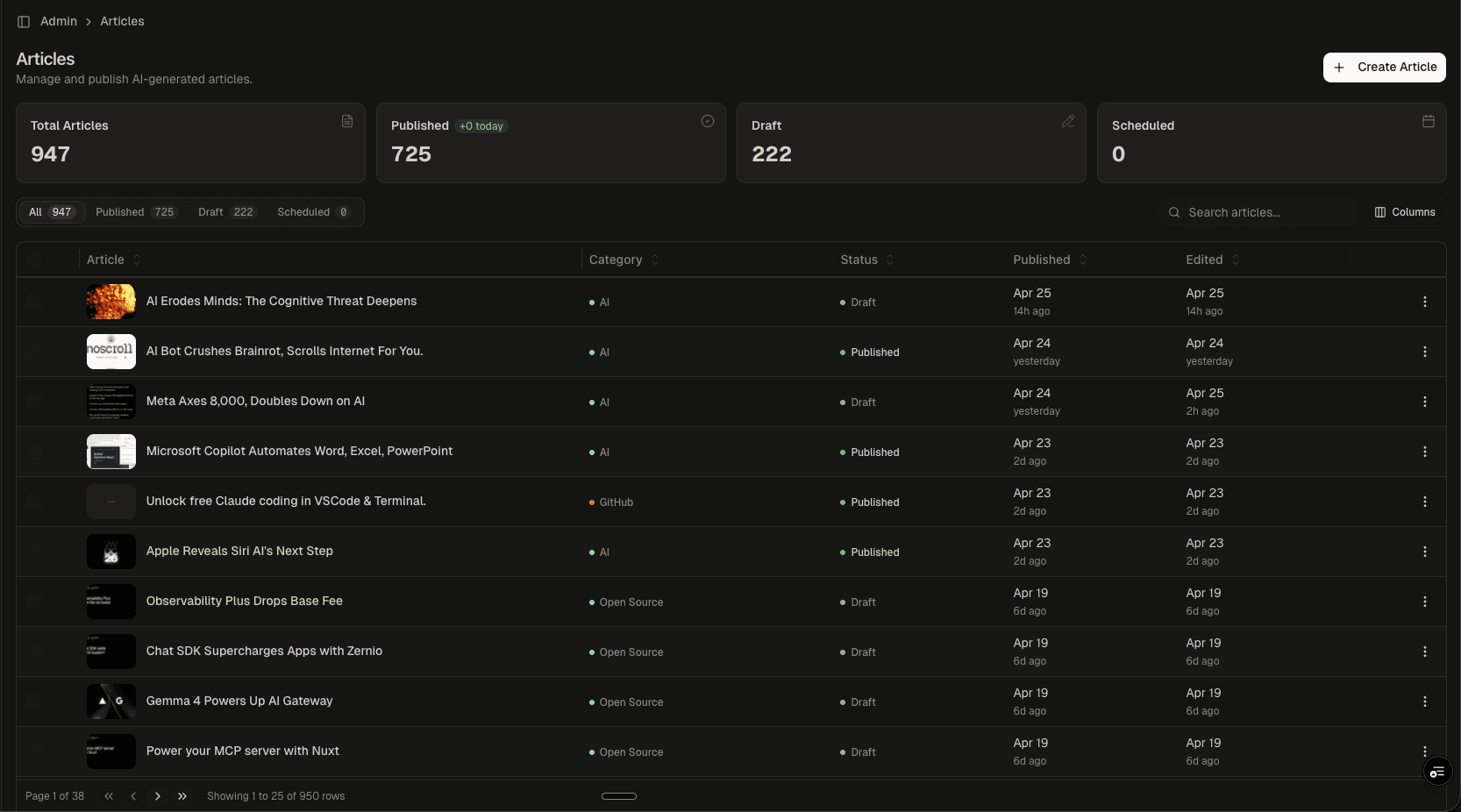
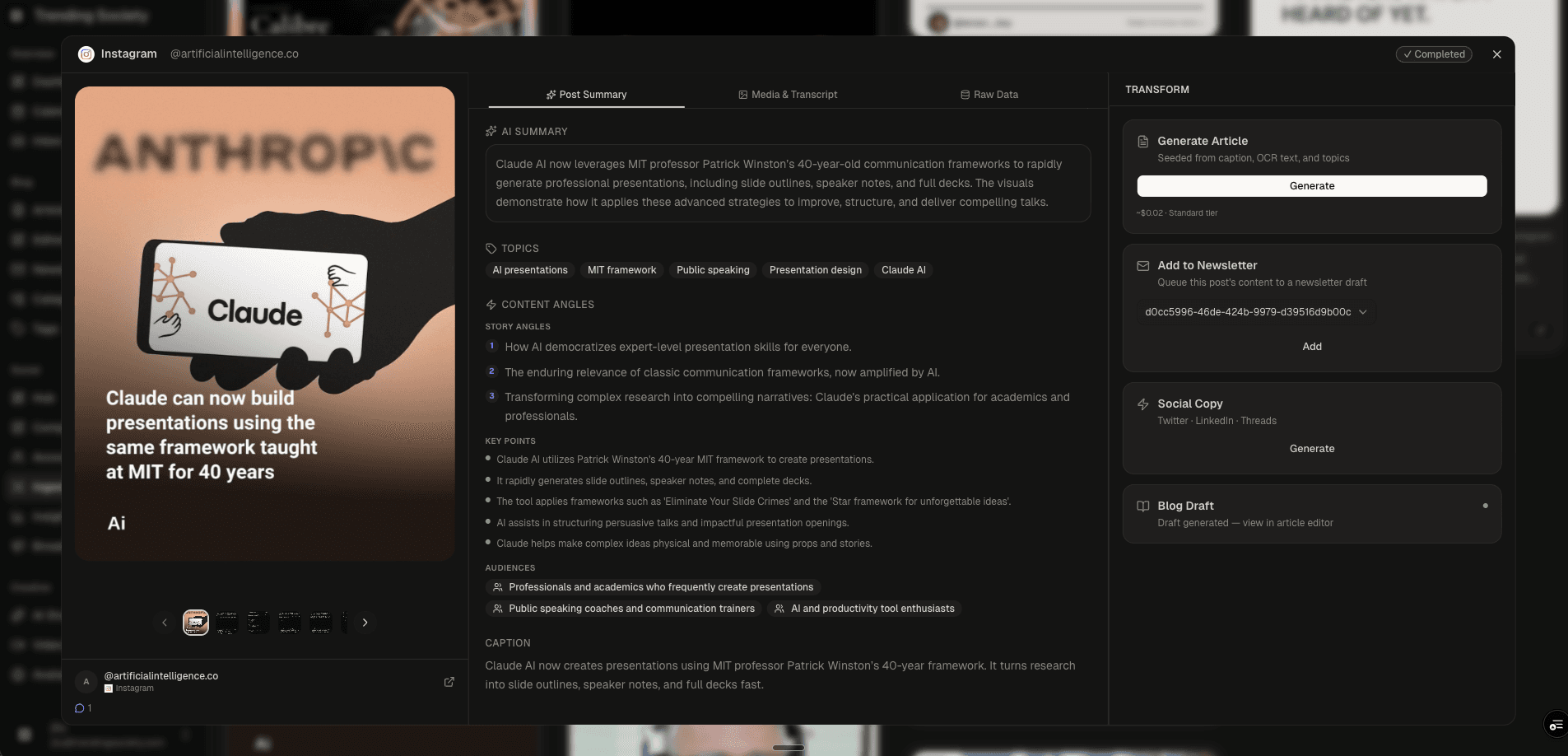
A headless CMS built for AI-native editorial workflows. Manages 947+ articles across 50 categories and 250 tags, with integrated AI enrichment (FAQ schema, key points, entity extraction), multi-format image handling (upload, library, URL, AI generation), podcast audio synthesis via ElevenLabs, social embed discovery, and a full code editor for technical content.
Article Editor
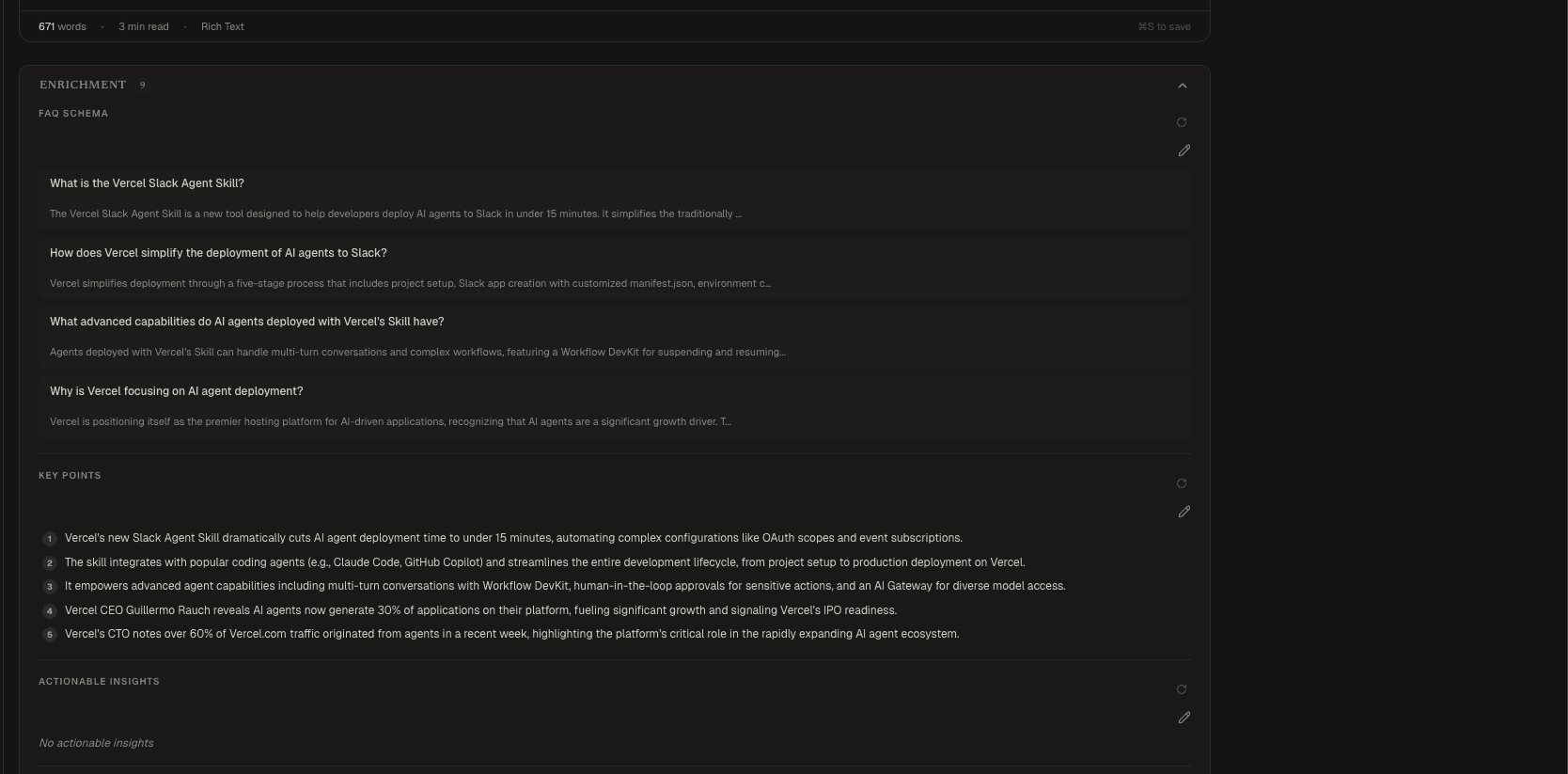
AI Enrichment
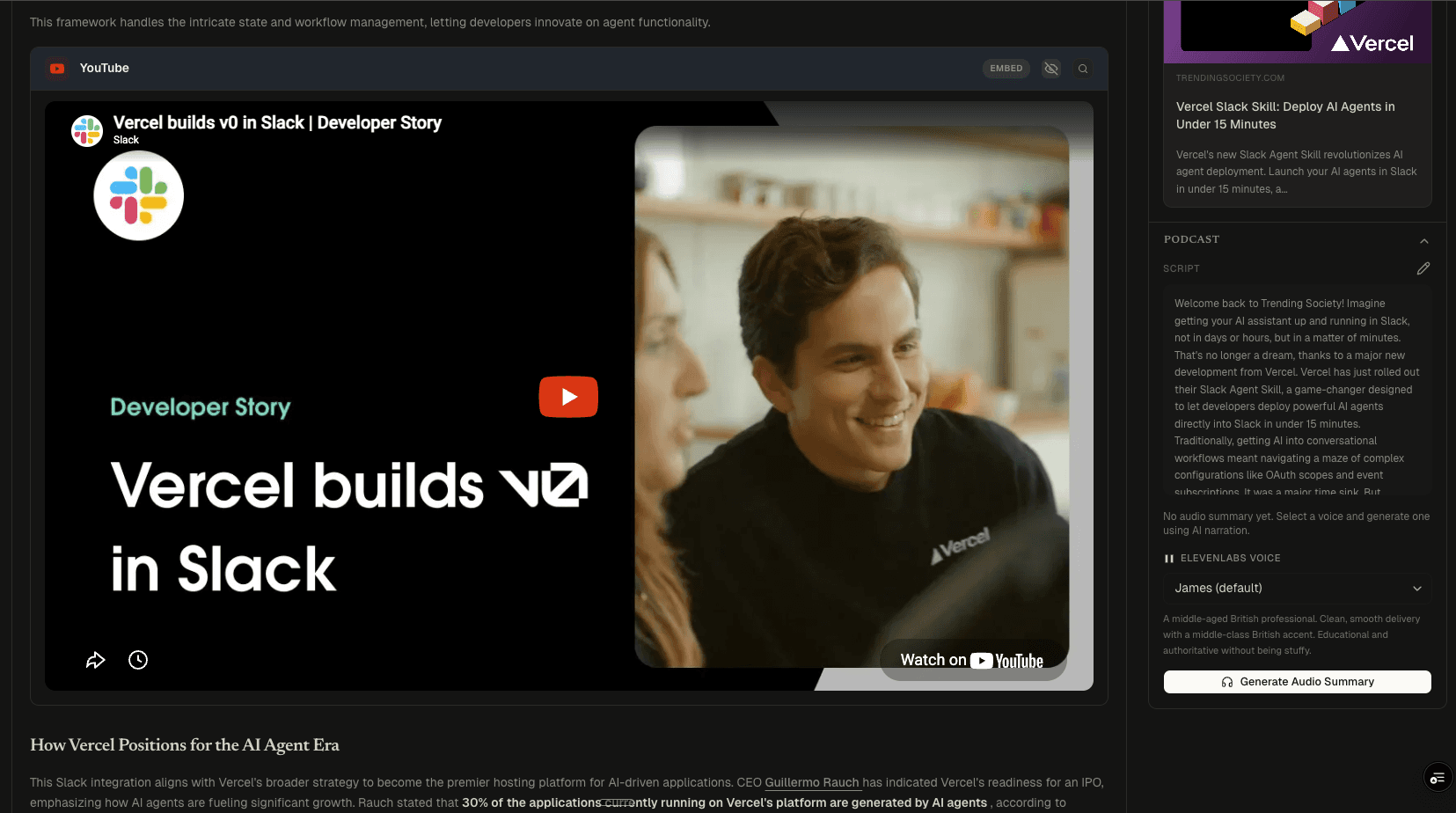
Podcast Generation
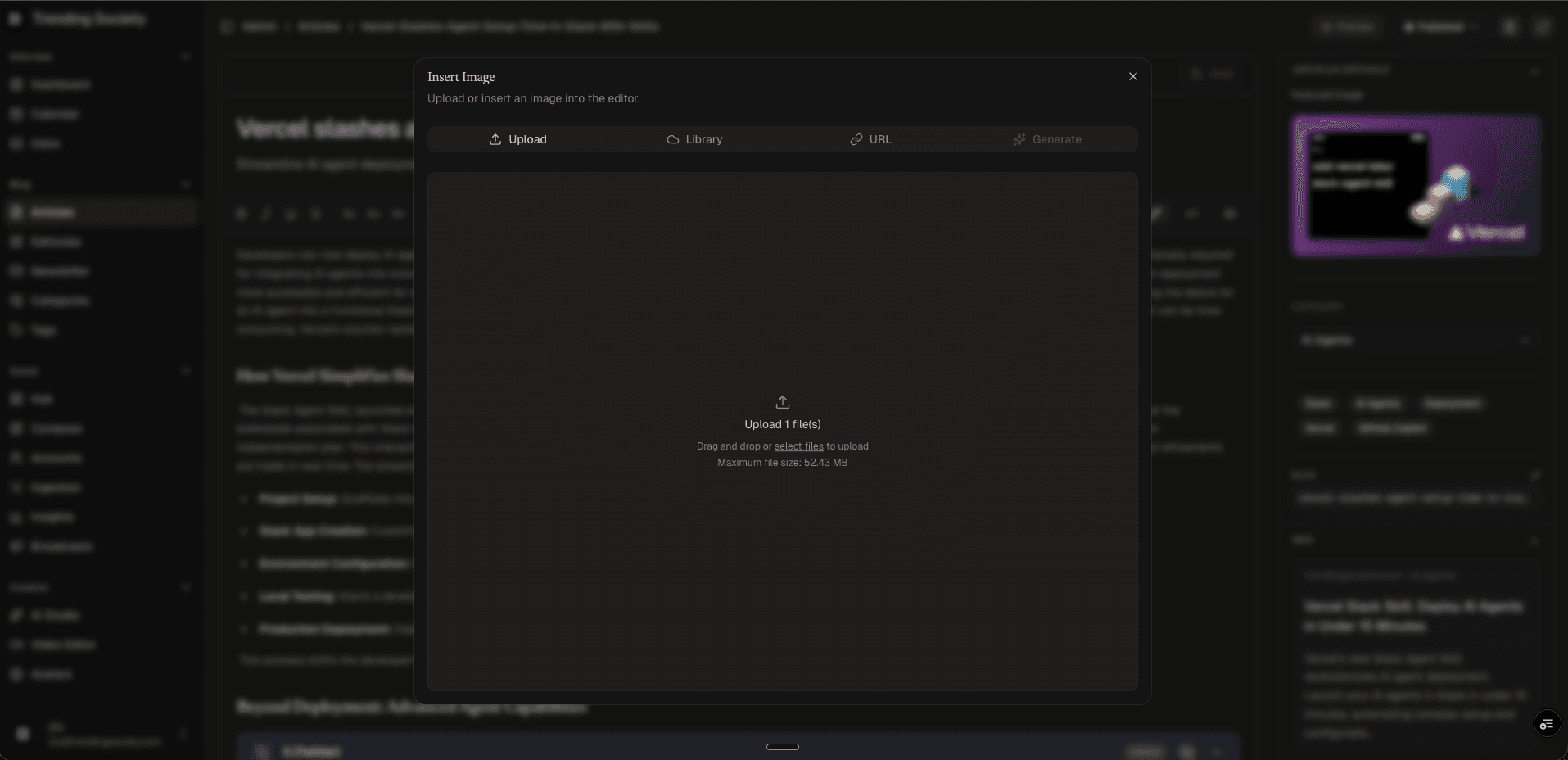
Media Library
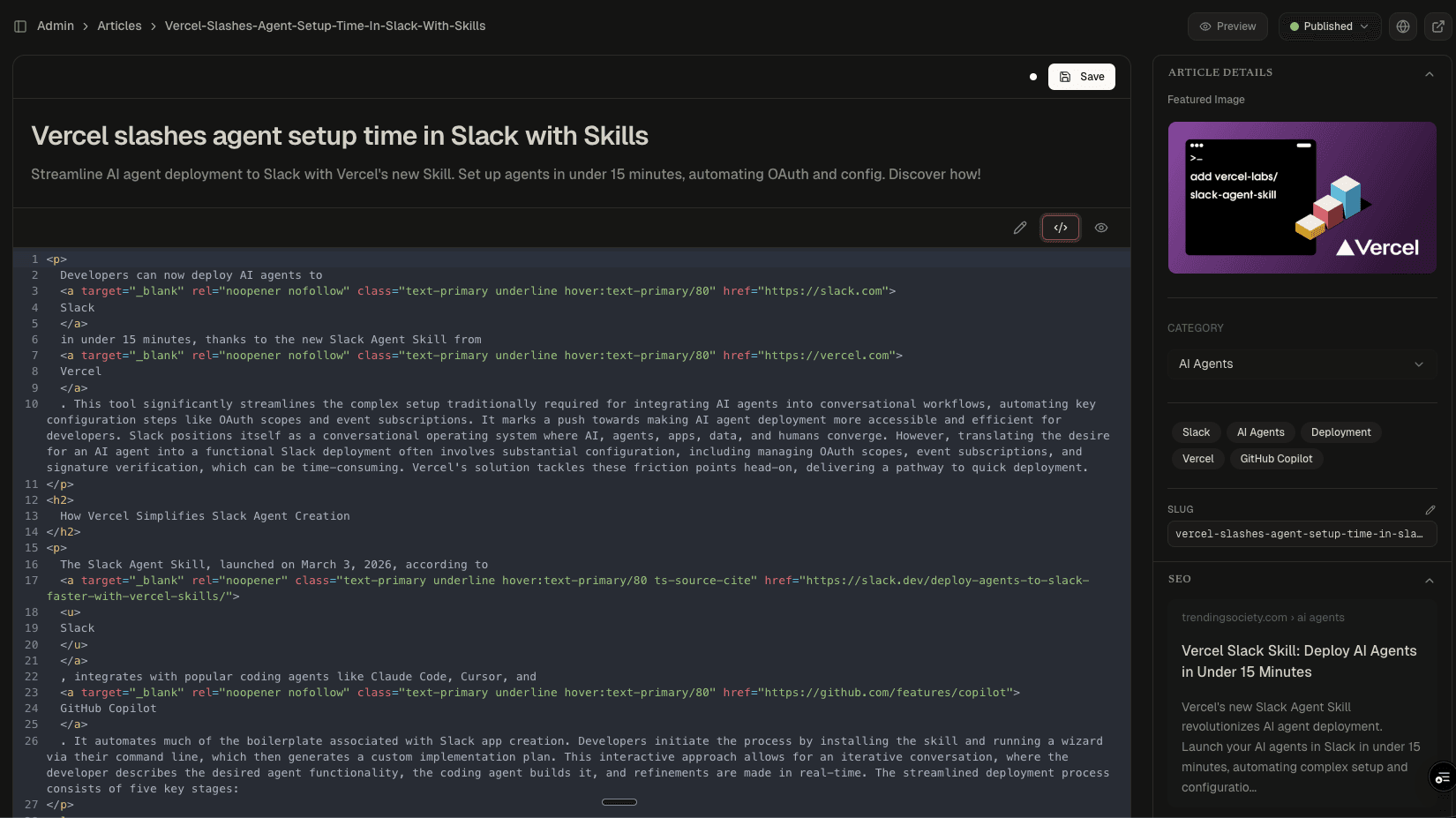
Code Editor
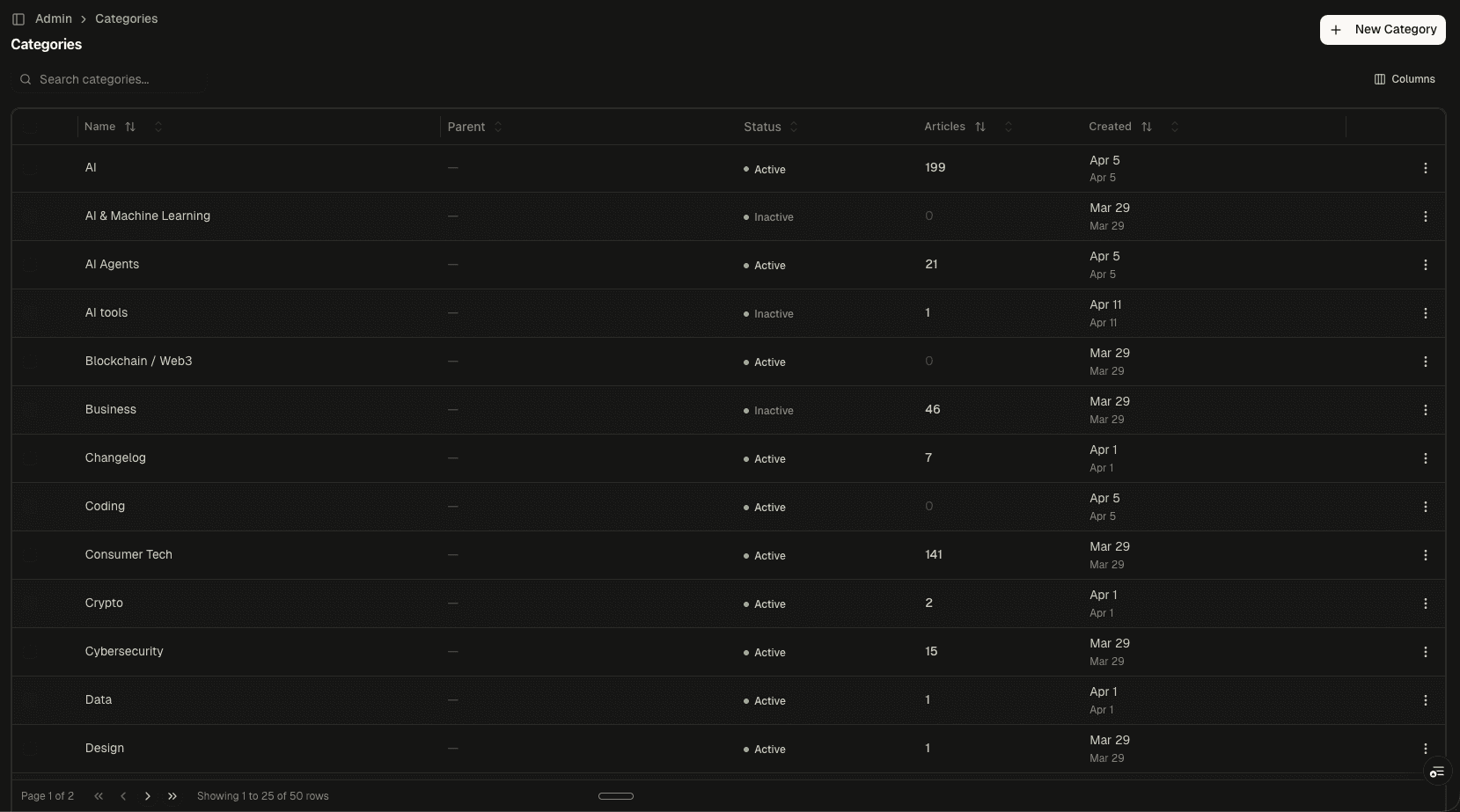
Category Management
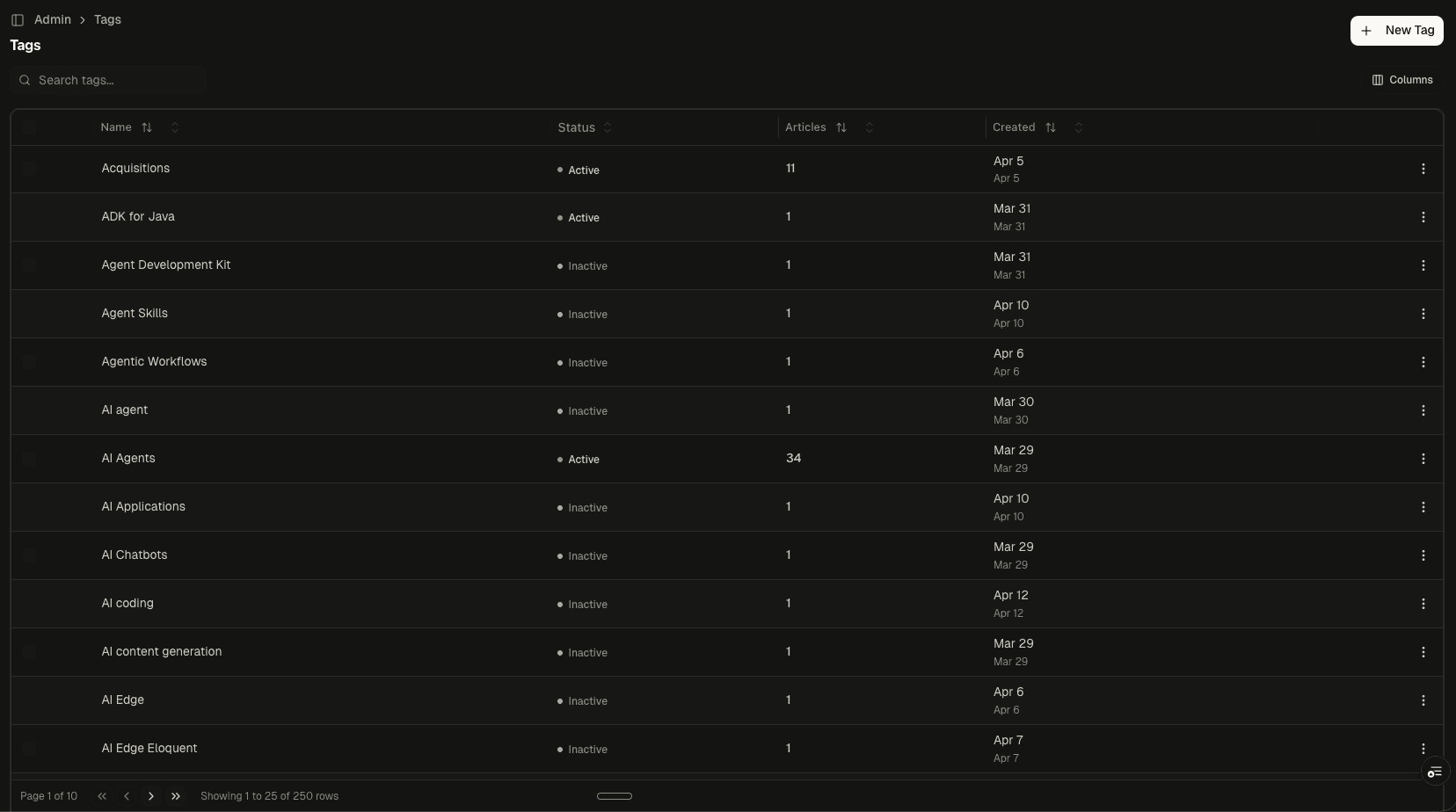
Tag Management
Why This Exists
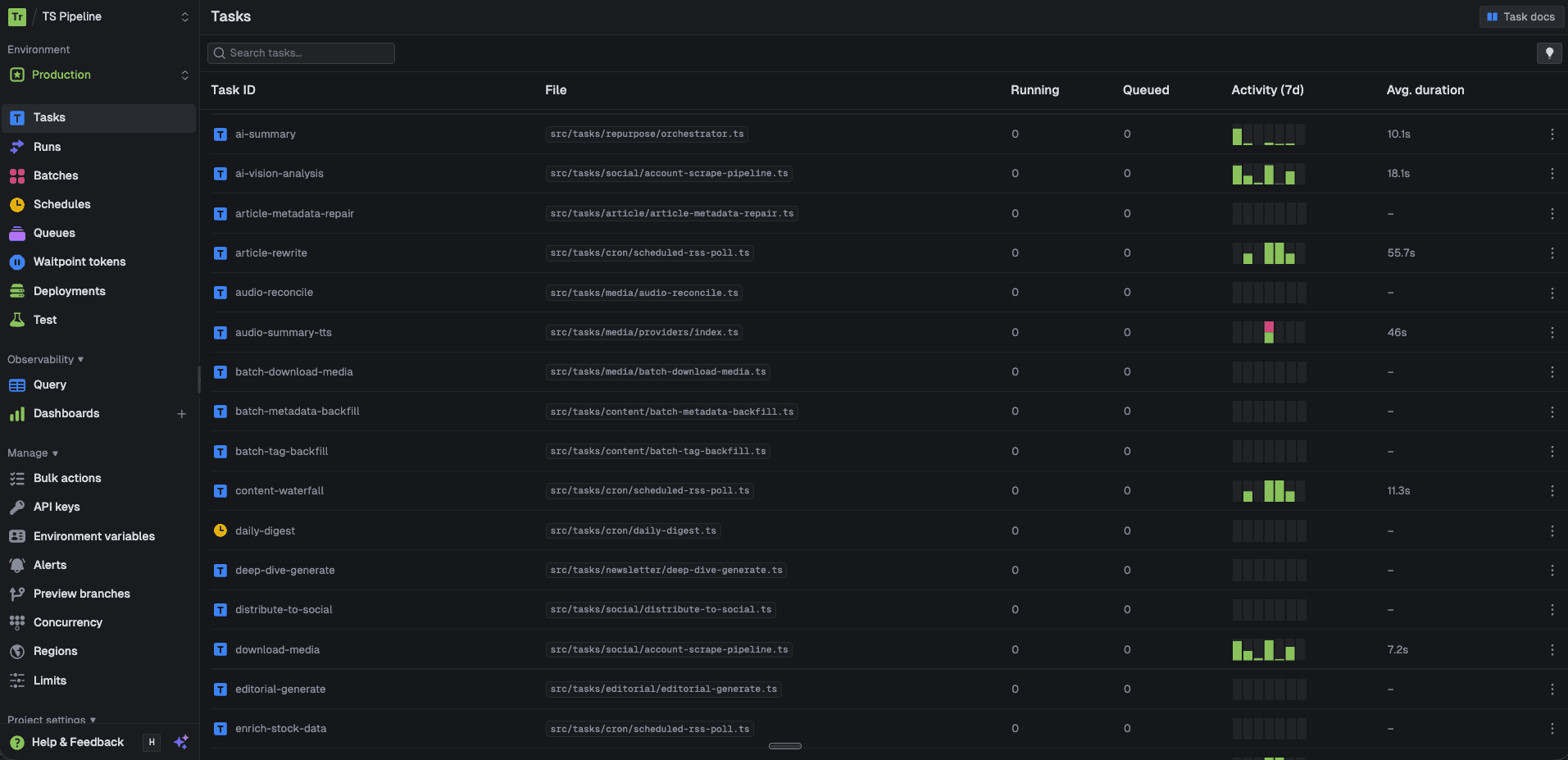
Off-the-shelf CMS platforms like WordPress and Contentful handle text and images. But when your content pipeline produces structured metadata, podcast audio, social embeds, FAQ schema, and multi-format images alongside every article, you need a CMS that understands those outputs natively.
This editorial platform was built from scratch to sit at the end of an AI content pipeline. Every article arrives with enrichment data already attached: FAQ pairs for Google rich results, extracted key points, entity mentions, and auto-classified tags. The editor's job is to let a human review, refine, and publish content that arrives mostly complete.
The Editor
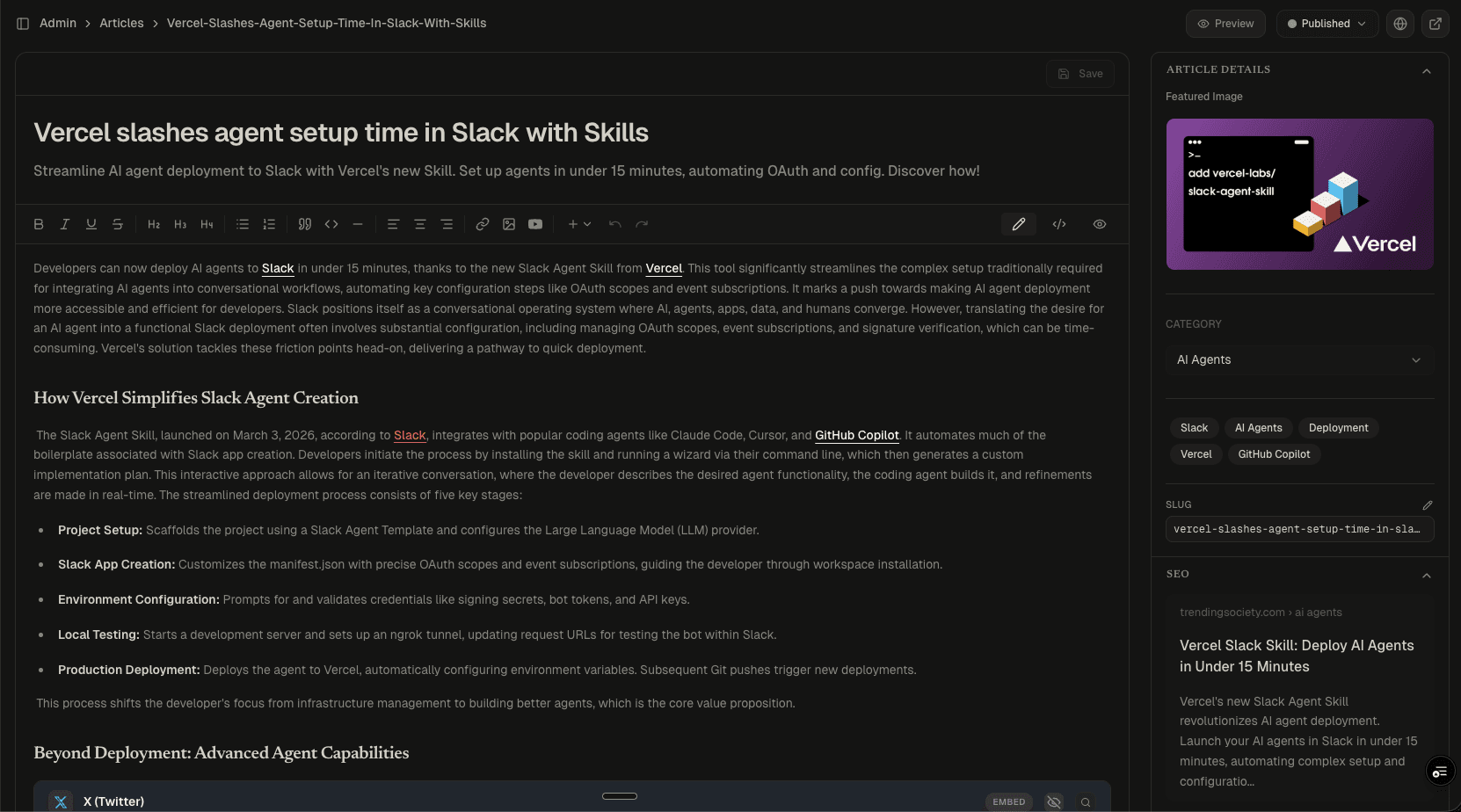
The core editing experience has three modes:
- Rich Text: A Tiptap-based editor with full formatting, heading hierarchy, link management, and inline media. The toolbar exposes block-level controls (code blocks, blockquotes, horizontal rules) alongside standard text formatting.
- Code View: Raw HTML source editor with line numbers. Technical content editors can inspect and modify the generated markup directly, useful for verifying link attributes (
nofollow,noopener), citation markup, and heading structure. - Preview: Renders the article as it will appear on the published site, including embedded media, social posts, and featured images.
The sidebar manages article metadata: featured image, category, tags, slug, and a live SEO preview showing the Google search result appearance (title, URL path, meta description).
AI Enrichment
Below the editor, the Enrichment panel exposes structured metadata generated by the AI pipeline:
- FAQ Schema: Question-and-answer pairs formatted for Google's FAQ rich results. Each article gets 4-6 Q&A pairs that map directly to
FAQPageJSON-LD on the published page. - Key Points: Numbered factual claims extracted from the article. These serve as the editorial summary and are reusable across newsletter blurbs and social captions.
- Actionable Insights: Editorial opportunities identified by the AI: what audiences should care about this topic and why.
- Mentioned Companies: Named entity extraction for companies, products, and people referenced in the article. Used for internal linking and topic clustering.
Each section has regenerate and edit controls. The AI produces the first draft; editors refine it.
Media and Audio
The platform handles four types of media insertion:
- Upload: Direct file upload to Cloudinary with automatic format optimization
- Library: A shared media library across all articles, searchable and reusable
- URL: Paste any image URL for inline embedding
- Generate: AI image generation powered by FLUX, producing editorial illustrations from text prompts
For audio, the Podcast panel generates companion narrations using ElevenLabs. Editors can preview the AI-generated script, select a voice profile (each with a description of tone and style), and synthesize the audio with one click. Published articles can serve both text and audio formats.
Taxonomy
Content organization runs through two systems:
- Categories: 50 editorial categories (AI, Consumer Tech, Cybersecurity, Open Source, etc.) with parent-child hierarchy support and per-category article counts. Categories drive the site's navigation and content filtering.
- Tags: 250 tags auto-generated during the AI enrichment step. Tags are more granular than categories (e.g., "ADK for Java," "Agentic Workflows," "AI Edge Eloquent") and support active/inactive lifecycle management. Inactive tags are hidden from public navigation but preserved for historical articles.
Engineering Decisions
- Tiptap over Slate or Draft.js: Tiptap's extension model made it straightforward to support custom embed nodes (YouTube, Twitter, Reddit) without fighting the editor's content model.
- Three editing modes: Rich text for writing, code view for technical verification, preview for final QA. Most CMS platforms force editors into one mode.
- Enrichment as a panel, not a popup: FAQ schema, key points, and entity data are always visible below the editor. Editors don't need to navigate away to review or edit AI-generated metadata.
- Media as a modal with four tabs: Consolidating upload, library, URL, and AI generation into a single interface eliminates the "where do I put images" question.
Project stack

TypeScript
Typed end to end
Next.js
App Router + RSC

Supabase
Postgres, auth, storage

Langfuse
LLM tracing + evals

Vercel
Deploys + edge