Planet Jumping
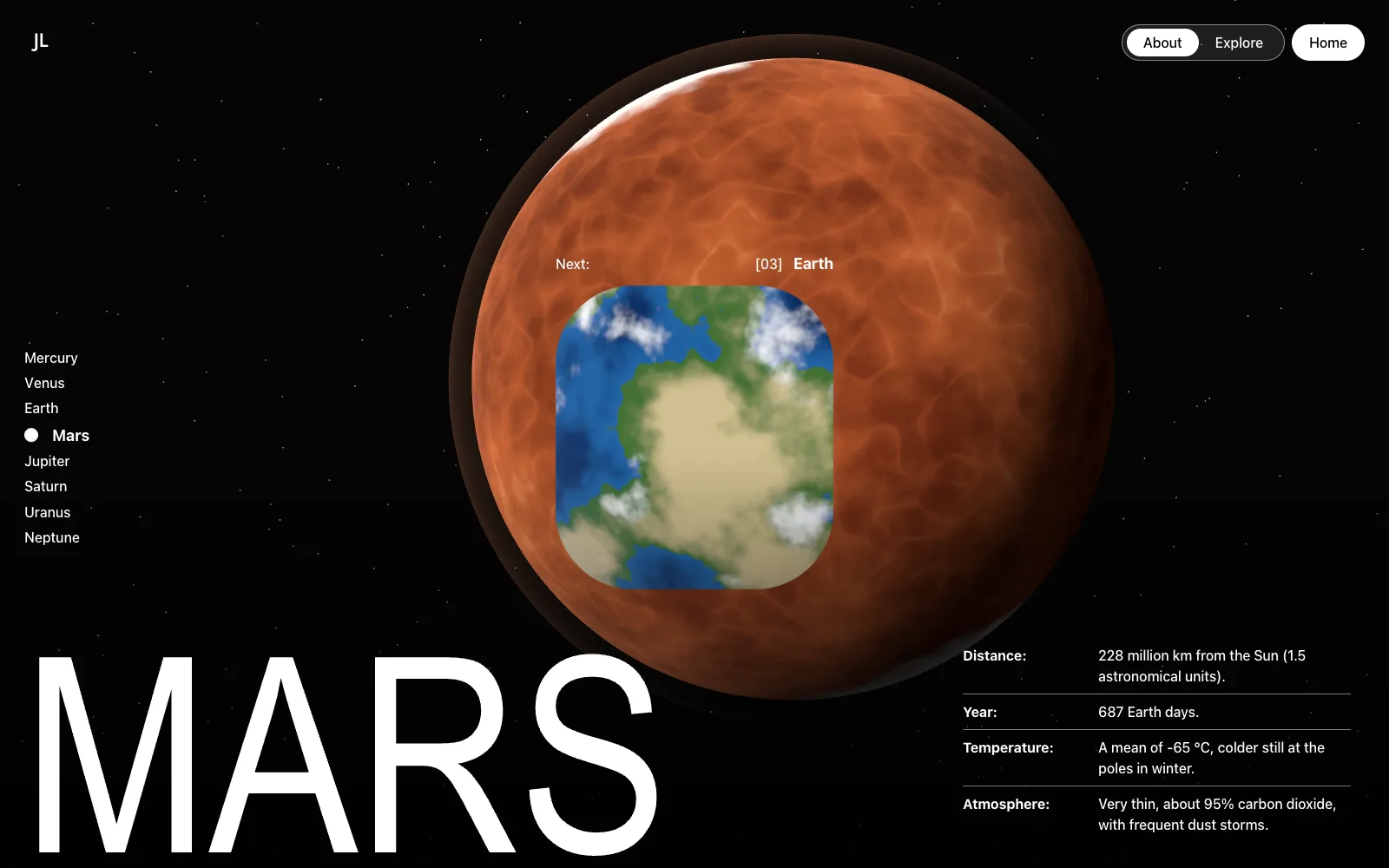
Move the pointer and the portal leans toward it. Hover any of the eight planets in the side list to see it live inside the portal, then click the planet or the portal to fly there in orbit. On Mars, Earth, and Venus, Land takes you down to the surface, and Back to orbit lifts you off again.
- react
- typescript
- three.js
- webgl
- Format
- Interactive experience
- Platform
- Desktop + Mobile
- Engine
- three.js + WebGL
- Type
- Concept
How It Works
1
About 3sPreload
The opening descent to Mars is retimed to about three seconds while a counter tracks its progress and the monogram glides to the header, and the page opens on the Mars surface where the clip ends.
2
InteractiveTilt
The portal is drawn in WebGL over the live scene and leans toward the pointer in perspective, with the destination planet rendering inside it in real time from the main view's camera.
3
About 2sTravel
The window opens to fill the viewport and the next planet flies in, always in orbit.
4
About 5sLand
On Mars, Earth, and Venus, the filmed descent plays inside the opening window and its last frame stays on screen as the ground, with the portal still open over it. Back to orbit fades the ground away and shows the planet again.
Engineering
Eight planets from one shader
Every planet is a single sphere with a single fragment shader. A surface mode and a four-color palette produce all eight looks. The atmosphere shell, Saturn's rings, and the storm ovals come from the same parameters, with no texture files to ship or license.A portal with real perspective
The portal is a plane drawn over the scene in pixel space. Its shader projects the window in perspective and keeps the corners round through the tilt, so the window moves over the next planet instead of carrying a flat picture of it.- 0.5-2.0 MBper clip, down from 5.6-15.9 MB
Media every browser can decode
Mars, Earth, and Venus keep their filmed descents. Three of the four source clips were 10-bit HEVC, which not every browser decodes, so a media CDN with automatic format selection serves H.264 where it is needed and cut every clip to a fraction of its source size. Accessible and recoverable
Reduced motion turns off the tilt, the spin, the scripted transitions, and the CSS keyframes. Every planet is a keyboard button with a spoken label, the loading counter reports as a progress bar, and on phones the planet list becomes a scrolling row. Each network wait has a ceiling, and a jump that throws logs the error and resets to a usable state.
More projects
Get in touch
Working end to end across design, creative, and engineering, where creativity, collaboration, and ownership build toward the company's goals.
jeffkliu@gmail.com