Added
Opened the picker to 12 models
I added twelve models from nine labs, and each one searched the library and linked a post before it shipped.
Web app · Internal tools
I put together the Trending Society Admin Kit so any team building internal tools can start from either side. Take a backend and build a frontend, or take the frontend and build the backend behind it.
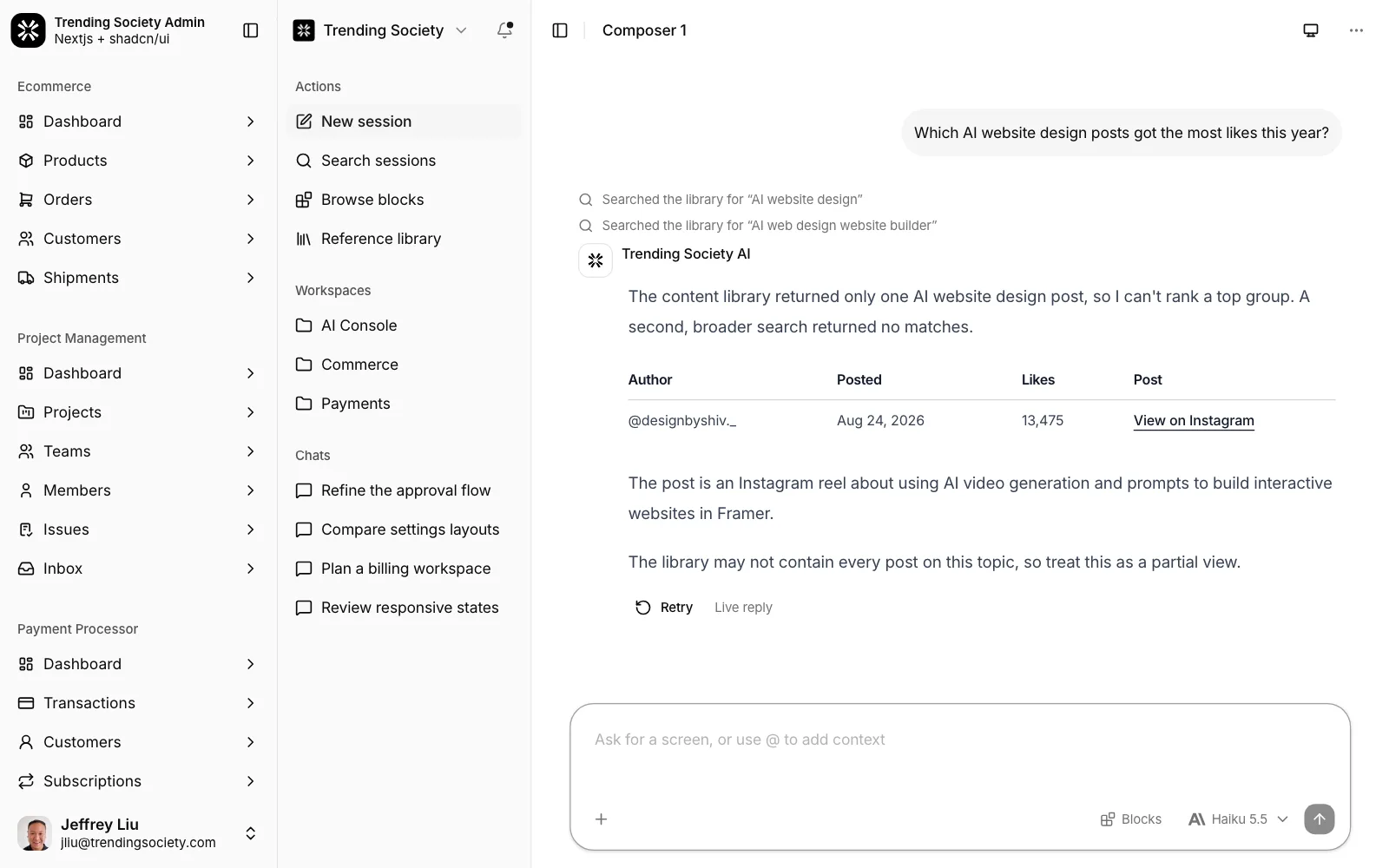
Composer 1 · real model
Composer 1 is the screen I wired to real systems. Ask it what is trending and it searches the Trending Society content library, then answers with links to the posts it used.
Scope
Overview
AI, payments, commerce, projects, admin, tasks and developer tools share one shell.
Each area reads a typed model with Zod schemas, so a real API replaces the mock data without new screens.
Faceted filters, sorting, column visibility, bulk actions and pagination on every major list.
Revenue, MRR, conversion and workload widgets read the same data as the tables.
A chat that answers through 12 models and cites posts from our own library.
Any record or action is a keystroke away.
Design tokens drive every screen, so one switch restyles the whole console.
Every branch builds its own preview, and production deploys only from main.
Walkthrough
Area 01 · 80 screens
Ten sections, from 7 composers and 23 conversation layouts to an API platform with a model catalog, usage and evaluations, and an agent studio. Composer 1 runs on a live model.
Sections · Composers · Conversations · API Platform · Workflows · Automations · Documents · Research · Applications · Skills · Agents
Area 02 · 36 screens
MRR dashboards, subscriptions, an invoice composer and a webhook log with retry.
Sections · Dashboard · Transactions · Customers · Subscriptions · Invoices · Developers
Area 03 · 36 screens
Nine sales dashboards, a product catalog with variants, orders, customers and shipping labels.
Sections · Dashboard · Products · Orders · Customers · Shipments
Area 04 · 32 screens
One issue model shown as list, kanban, Gantt, calendar and spreadsheet.
Sections · Dashboard · Projects · Teams · Members · Issues · Inbox
Area 05 · 13 screens
Users, roles, billing, plans, connected apps and notifications.
Sections · Dashboard · Users · Tasks · Settings
Area 06 · 5 screens
API keys, webhooks, and event and request logs.
Sections · Overview · API keys · Webhooks · Events and logs
Area 07 · 12 screens
Nested tasks with lists, due dates and keyboard capture.
Sections · Tasks · Projects · Manage
All seven areas share sign-in, registration and password reset screens, plus 401, 403, 404, 500 and 503 error states.
Stack
Ship log
I added twelve models from nine labs, and each one searched the library and linked a post before it shipped.
A security review flagged two paths. Input is now text-only, library posts are treated as data, and replies render no images.
I added a read-only service token to our MCP server and offered the model one tool, search_sources.
Composer 1 replied from a script. It now streams from AI Gateway behind a model allowlist, output caps and a rate limit.
The kit deployed from a laptop folder with no history. It now lives in a private repo, and every branch gets a preview deploy.
Working end to end across design, creative, and engineering, where creativity, collaboration, and ownership build toward the company's goals.
jeffkliu@gmail.com