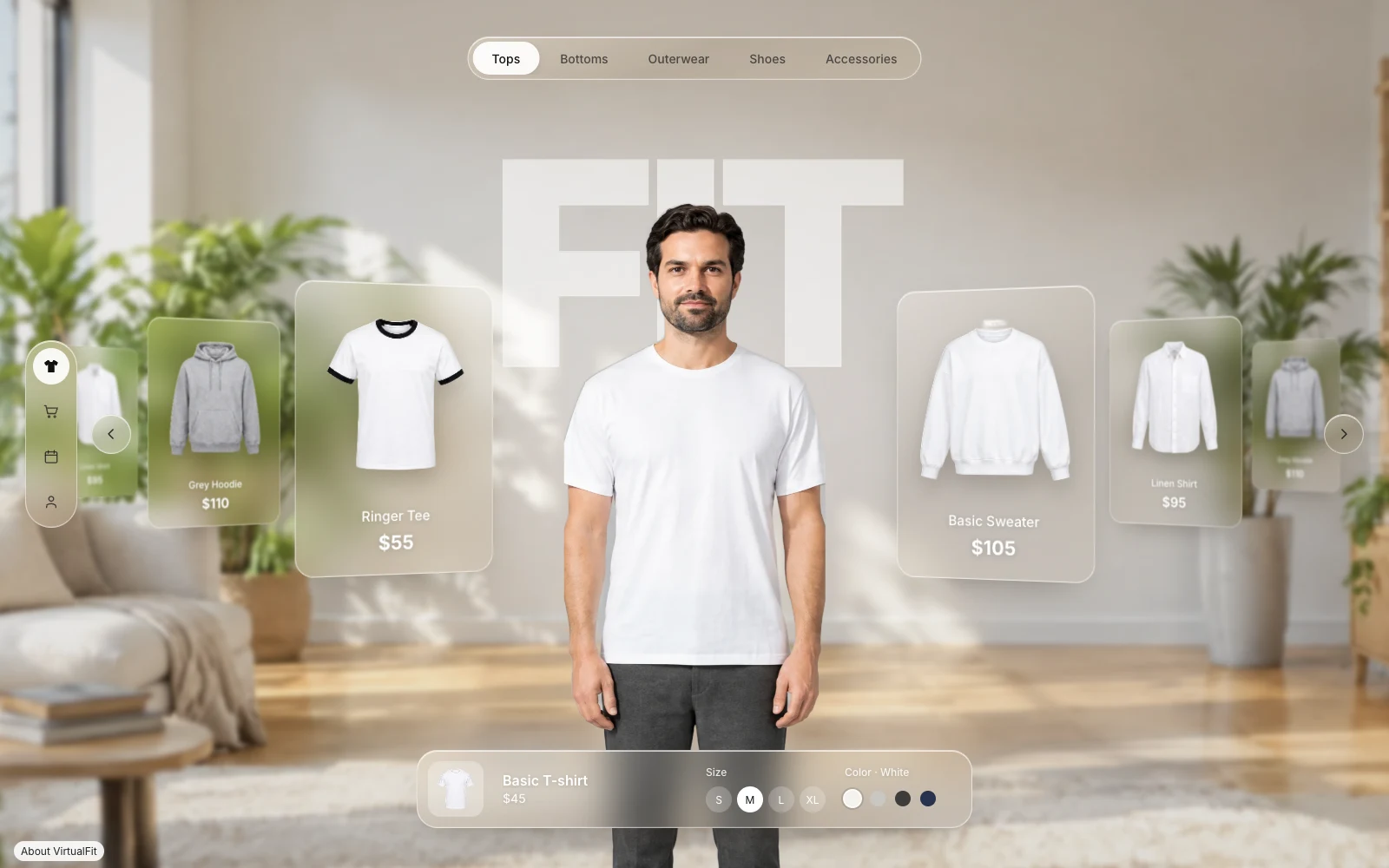
VirtualFit
Drag or flick the garment arc, scroll, or use the arrow keys to select one of five outfits. A scan reveals the selected outfit on a preset model while the product card updates its price and swatches.
- html5
- css3
- javascript
- web-animations-api
- Format
- Interactive experience
- Platform
- Desktop + Mobile
- Type
- Concept recreation
How It Works
1
On drag or scrollBrowse
The cards wrap as the arc turns, with each card scaling, tilting, and blurring based on its distance from the center.
2
When the arc settlesTry on
As the scan line moves down the model, a clipping mask reveals the outfit image that matches the current garment.
3
On click or tapSelect
The size chips and color swatches update the selection state. With reduced motion enabled, the outfit and product information switch immediately.
Engineering
One image sheet for five outfits
The room and both image sheets load from the portfolio site. CSS background positions select the matching garment and model crops for each outfit.One target for every input
Pointer, touch, wheel, and keyboard input all set the carousel target. The scan starts after the arc settles and replaces the previous outfit once the reveal completes.
More projects
Get in touch
Working end to end across design, creative, and engineering, where creativity, collaboration, and ownership build toward the company's goals.
jeffkliu@gmail.com